Want to read a bit about the latest build of Windows 7? It's the Release Candidate (build 7100) and you can see how it runs on the Samsung Q1 Ultra by reading this: Testing Windows 7 RC (build 7100)

Showing posts with label Q1 Ultra. Show all posts
Showing posts with label Q1 Ultra. Show all posts
Saturday, April 25, 2009


Sunday, April 12, 2009
Windows 7 Build 7077 Runs Well on the Samsung Q1 Ultra UMPC

I'm happy to report that Windows 7 (build 7077) actually runs quite well on the Samsung Q1 Ultra UMPC (or Q1U, for those who like to differentiate them from the original Samsung Q1). I had tested a few of the earlier builds on my device and they did not work well at all. Somehow, the engineers at Microsoft have refined Windows 7 so that it actually runs fairly well on a slow machine that has an 800 MHz processor. I've been pleasantly surprised by Windows 7, so I've removed the Vista partition on my device and I've replaced it with Windows 7. I still have XP as a backup, but over the next few weeks I'll be mainly using Windows 7 to see how well it works on my mini tablet device.
Saturday, April 11, 2009
Windows 7 Build 7048 on Samsung Q1 Ultra UMPC
I decided to give Microsoft Windows 7 another try on my little Samsung Q1 Ultra UMPC. This is the older model that is thinner but also slower. The 800 MHz processor just isn't fast enough to run Vista effectively. I have to admit that Build 7048 is much better on the Q1 Ultra. I had tested some earlier builds and they just didn't work well at all.
There is another Build of Windows 7: Build 7077. I haven't had the chance to get my hands on that version yet, but that will be my next project (maybe I'll get to it next weekend). In the meanwhile, I will play around with Build 7047 this week and write about my findings. I've been running XP on my Q1 Ultra, but this week I plan to use Windows 7. My excitement for Windows 7 has been renewed. I'm not being overly optimistic (yet), but I am hopeful that this OS may replace XP on my Q1 Ultra.
There is another Build of Windows 7: Build 7077. I haven't had the chance to get my hands on that version yet, but that will be my next project (maybe I'll get to it next weekend). In the meanwhile, I will play around with Build 7047 this week and write about my findings. I've been running XP on my Q1 Ultra, but this week I plan to use Windows 7. My excitement for Windows 7 has been renewed. I'm not being overly optimistic (yet), but I am hopeful that this OS may replace XP on my Q1 Ultra.
Friday, April 10, 2009
Windows 7 Build 7077 on the Samsung Q1 Ultra UMPC

This is my next project: Windows 7 Build 7077 on my Samsung Q1 Ultra UMPC. This build 7077 is rumored to become the RC or Release Candidate version of Windows 7. The last time I installed Windows 7 on my Q1 Ultra, I was not impressed by the results. However, now that Microsoft has had a chance to fix some bugs, clean the code, and make some improvements, I'm willing to give it another try.
The future of medicine relys advances in technology such as mobile computers, UMPCs, gadgets, and other devices. It's exciting to see how the world of medicine is changing because of technology.
Thursday, March 5, 2009
Samsung Isn't Giving Up on the UMPC
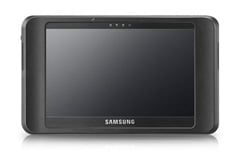
Samsung has a long history in the UMPC market. It was one of the first UMPCs that came out when the "origami project" was unveiled. Now, it is preparing to come out with the Q1EX (or NP-Q1EX). Who can keep up with this crazy naming convention?
Since I'm a Samsung Q1 Ultra UMPC user, I am probably quite biased. My tiny tablet has been a good, functional machine, but it's not a multi-tasking power PC. It has a very slow processor, but in exchange, I get long battery life. It's a compromise, but one that I'm willing to make. In the healthcare field, doctors need to carry these things around everywhere, so portability, durability, and weight are critical factors.
I'm curious to see what people will think about this new Samsung UMPC. The Q1EX lacks any buttons, knows, or keys on the front. They went with a very simple and basic tablet. It almost feels like they went backwards, but maybe they are depending on all the great features that will be included on Windows 7. Multi-touch? Capacitive touch? Doubtful.
Saturday, February 21, 2009
Screen Protectors for Mobile Gadgets
There was a time when I used screen protectors on all my devices. My Apple Newton Messagepad 2100 had a screen protector. Then, any other device that had a touch screen got a screen protector. This includes my Palm Pilot, the Casio Cassiopeia E-125, HP/Compaq iPaq, the Treo 700wx, and more recently my HTC XV6800.
I've started moving away from screen protectors on some of my other devices. For instance, my Samsung Q1 Ultra UMPC doesn't have a screen protector. I've been using this device for over a year and it doesn't have a single scratch on it. I also haven't used a screen protector on my Lenovo Thinkpad X200 Tablet. No scratches.
So. my XV6800 needs a new screen protector. There are several different types and I've been using the original one that came in the Verizon box.
I've started moving away from screen protectors on some of my other devices. For instance, my Samsung Q1 Ultra UMPC doesn't have a screen protector. I've been using this device for over a year and it doesn't have a single scratch on it. I also haven't used a screen protector on my Lenovo Thinkpad X200 Tablet. No scratches.
So. my XV6800 needs a new screen protector. There are several different types and I've been using the original one that came in the Verizon box.
Friday, February 13, 2009
Buy a MacBook Air Just for the SSD?
There are some incredible deals out there for the older MacBook Air with a 64 GB SSD (solid state drive). I'm very tempted to get one of these so that I can perform a hard drive (HD) transplant. I'd use the SSD in another device (either my Samsung Q1 Ultra or my OQO model 02).
To purchase a 1.8" SSD, I'd have to spend over $1000 (unless I get a RunCore or PhotoFast, in which case I may still spend nearly $500 just for the drive). It really doesn't make sense to go out there and purchase an SSD as an upgrade right now.
However, if I can get a cheap MacBook Air for $1200 (and this includes a 64 GB SSD), then I could do some HD swapping and maybe even sell the MBA. Tempting...
To purchase a 1.8" SSD, I'd have to spend over $1000 (unless I get a RunCore or PhotoFast, in which case I may still spend nearly $500 just for the drive). It really doesn't make sense to go out there and purchase an SSD as an upgrade right now.
However, if I can get a cheap MacBook Air for $1200 (and this includes a 64 GB SSD), then I could do some HD swapping and maybe even sell the MBA. Tempting...
Sunday, January 25, 2009
Plan to purchase the Samsung Q1EX? Future of UMPCs
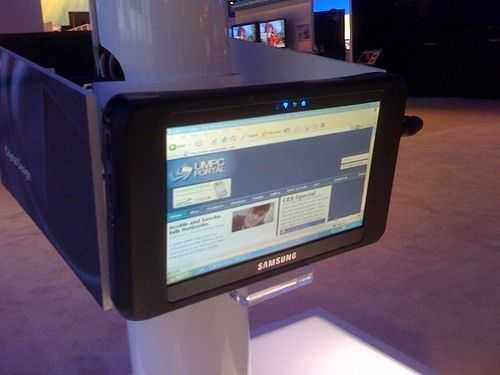
Who plans on getting the new Samsung Q1EX? No navigation buttons, no keyboard buttons. It's been a bit confusing keeping up with all the different Samsung UMPC tablets. There was the Q1, then the Q1Ultra (or Q1U), followed by the Q1 Ultra Premium (Q1UP), and now the Q1EX. Does any of this make sense?
Since most consumers are getting a netbook, who's still buying these UMPCs? Sony got rid of the Vaio UX series and came out with the Vaio P Lifestyle PC. Why didn't Sony include a touch screen? My guess: to keep the device as thin as possible. Maybe the next edition of the P series will have one. You can get the best of both worlds with the Fujitsu U820. Here, you get a clamshell device with a touch screen and a keyboard.
Friday, January 16, 2009
Windows 7 still disappointing on my UMPC
I've heard some people are having good experiences with Windows 7 build 7000 on their Samsung Q1 UMPC. Now, since my device has a really slow processor, I wonder if those individuals are using a different device that has a faster processor.
800 MHz just isn't fast enough to run either Vista or Windows 7. Plus, when the processor clocks down to 600 MHz, it's even worse. The Q1 Ultra Premium runs a Intel Core Solo 1.33 MHz processor. However, it's also a thicker device.
So, are you willing to sacrifice weight and size for performance? You can be like me and just continue running XP Tablet. It runs fine on my device and works for me.
800 MHz just isn't fast enough to run either Vista or Windows 7. Plus, when the processor clocks down to 600 MHz, it's even worse. The Q1 Ultra Premium runs a Intel Core Solo 1.33 MHz processor. However, it's also a thicker device.
So, are you willing to sacrifice weight and size for performance? You can be like me and just continue running XP Tablet. It runs fine on my device and works for me.
Monday, January 5, 2009
Windows 7 Build 7000 on Samsung Q1 Ultra UMPC
I had such high expectations for Windows 7 on my Samsung Q1 Ultra UMPC. I installed the beta version of Windows 7 (build 7000) and although it felt better compared to build 6956, it was still very slow. I just created a new partition in my Vista drive and installed Windows 7. At that point, it was a triple boot device. Now, I'm back to a dual boot system running XP and Vista.
Will Windows 7 live up to all the hype? Perhaps it will for faster systems. My Q1 Ultra is just too slow. Let's see what types of new gadgets appear at CES 2009!
Will Windows 7 live up to all the hype? Perhaps it will for faster systems. My Q1 Ultra is just too slow. Let's see what types of new gadgets appear at CES 2009!
Tuesday, December 23, 2008
Windows 7 on my Samsung Q1 Ultra UMPC
So I installed Windows 7 (pre-beta) on my Samsung Q1 Ultra UMPC. I must have had very high hopes because I was so disappointed. Windows 7 so was so much slower than Vista on this machine. I was expecting quite the opposite because of all the buzz that Windows 7 was so much faster than Vista, especially for netbooks. I have Windows 7 running on an old desktop and it seems to run OK. I'm not extremely impressed, but Windows 7 seems to have some nice features associated with it. Of course, I realize that this pre-beta is still extremely preliminary, so I'm willing to give this another try with the next build of Windows 7.
I've now uninstalled Windows 7 and I'm waiting for the next version before I do this again. In the meanwhile, I'll be running XP tablet and I'll probably reload Vista since I've split the partition on my hard drive.
I've now uninstalled Windows 7 and I'm waiting for the next version before I do this again. In the meanwhile, I'll be running XP tablet and I'll probably reload Vista since I've split the partition on my hard drive.
Subscribe to:
Posts (Atom)